Firebase.
Anywhere.
Native Firebase management for iPhone and iPad. Browse Firestore, manage users, edit Remote Config, and more — without opening your laptop.
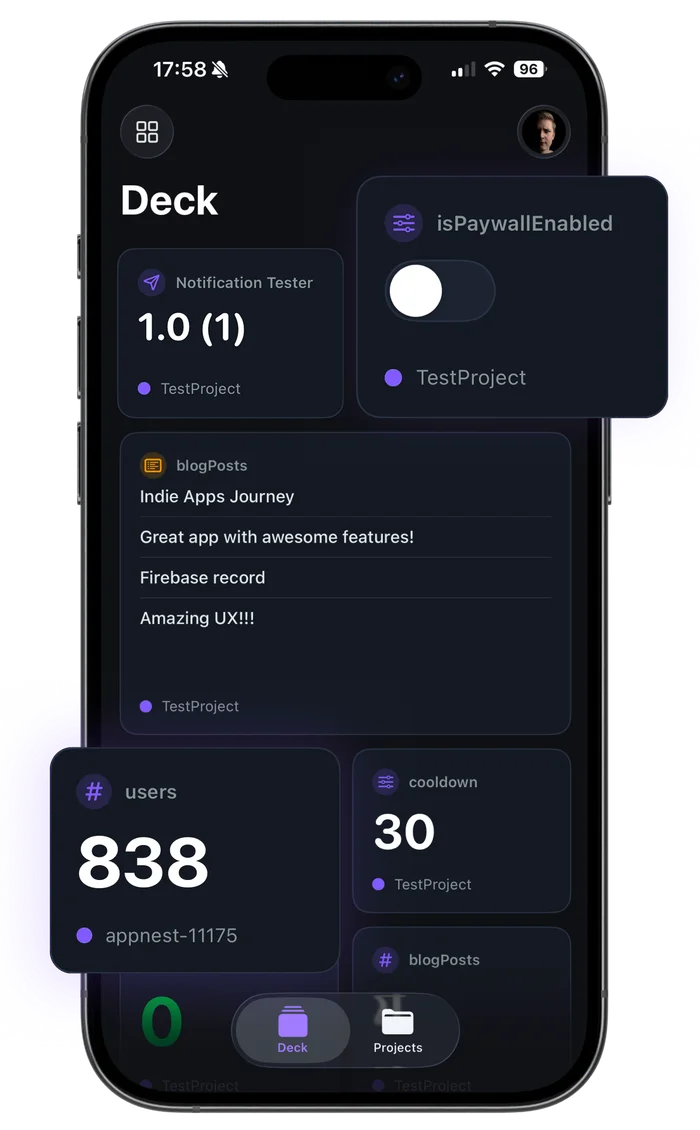
One Dashboard. Every project.
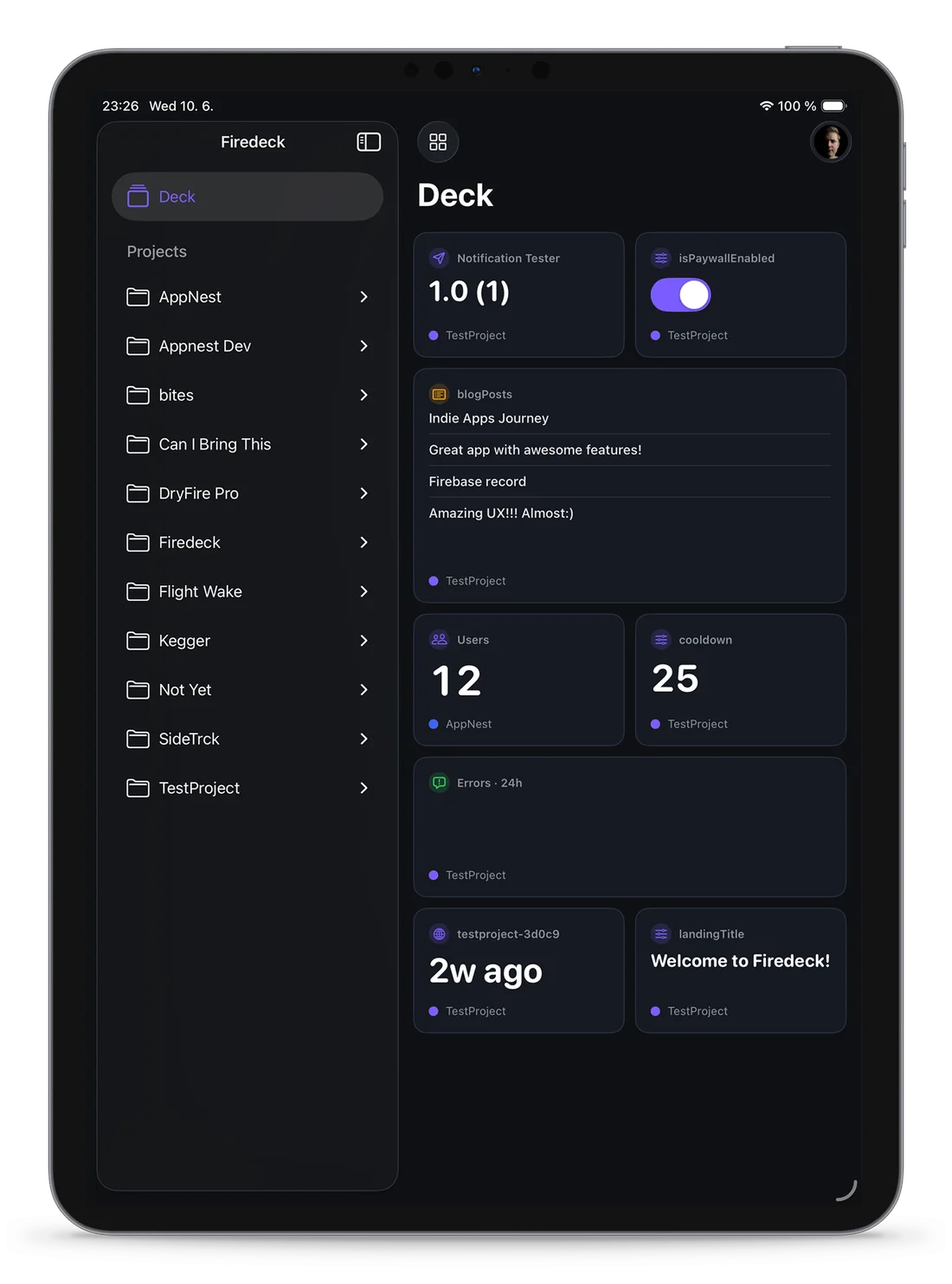
The Deck is your home screen for Firebase. Pin widgets from any project and any service — a feature flag here, a release status there, a live document count — and keep an eye on everything that matters from one place.
12,480
analytics30
game-apiMigrating to the new pricing page
What we learned rolling out App Check
Firestore query patterns we regret
Release notes: 2.4.1
0
payments2.4.1 (318)
ios-app 14
Firebase services,
managed natively.
Six have a dedicated screen deep enough to work in all day. The rest are there the moment you need them.
Firestore
Browse, query, edit and bulk-edit documents, export and import collections, and undo changes.
Learn moreAuthentication
Inspect, search, and manage your users from anywhere.
Learn moreStorage
Browse buckets, preview files, and manage uploads on the go.
Learn moreRemote Config
Update parameters and publish changes instantly — and safely.
Learn moreCloud Functions
Monitor functions, test invocations, and review errors.
Learn moreCloud Messaging
Compose and send push notifications from your phone.
Learn moreAlso supported
- Realtime Database
- Hosting
- Extensions
- Security Rules
- App Distribution
- IAM
- App Check
- Cloud Logging
Change 248 documents. Then take it back.
Select by hand or by filter, then set, rename or remove a field. Firedeck saves every document on your device before it changes, so a wrong filter is one tap to undo — and anything someone edited since is left alone.
Example: 248 documents matching status equals trial are selected, status is set to active, the change appears in history, and Undo restores all 248.
Bulk export & import
A collection, a query or a selection, saved to Files. Imports show a preview before anything is written.
Usage today
Reads, writes and deletes against the free quota, from your Home Screen. Free; 30-day history in Pro.
Auth users
Export users to CSV or JSON, without password hashes. Disable, enable or delete many at once.
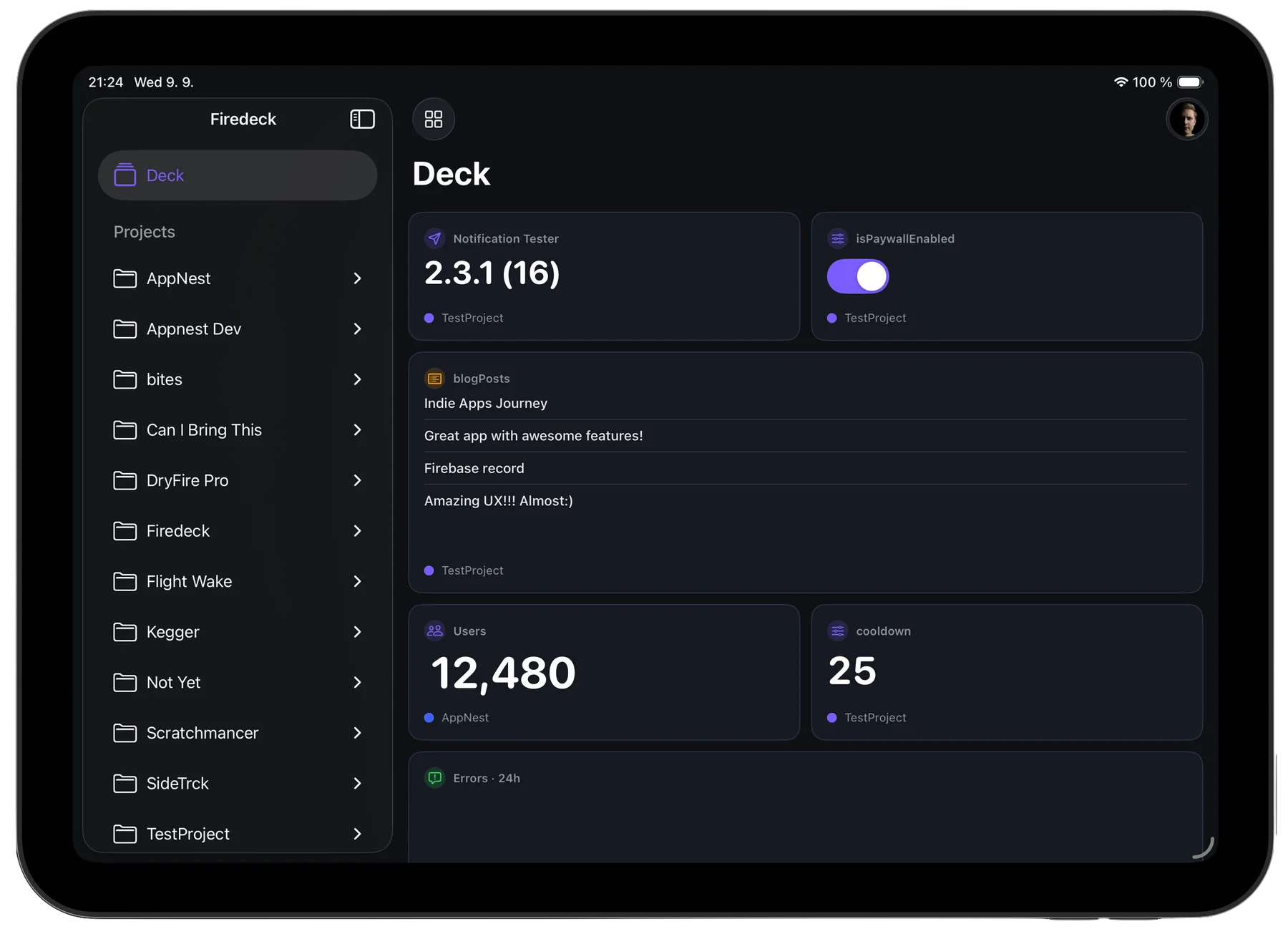
A real iPad app. Not a stretched phone.
Sidebar and detail in one view, hardware keyboard support, and room to read a document without scrolling.
- Native iPad layouts
- The full screen, not a scaled-up iPhone view.
- Multi-column navigation
- Project, service and record all in view at once.
- Full keyboard support
- Navigate and edit with a hardware keyboard.
- Large-screen workflows
- Browse storage and review config with room to breathe.
 From the developer
Adam Gelatka
iOS engineer, and the person you email when it breaks
From the developer
Adam Gelatka
iOS engineer, and the person you email when it breaks
There is no Firedeck server, because I did not want to be holding anyone’s tokens. Including my own.
I run a handful of apps on Firebase, and every time something went wrong — a document with the wrong value, a flag that needed flipping, a function quietly failing — it happened while I was away from my laptop.
The web console loads on a phone, but fixing production through it under pressure is miserable. So I built the thing I wanted: every service, native, talking straight from your device to Google’s own APIs with your account’s permissions.
Simple, transparent pricing
Read and browse everything for free. Upgrade to Pro for write access and admin actions. No countdowns. No fake urgency.
Firedeck
Everything you need to browse and monitor your projects.
- All your Firebase projects
- Full read & browse across every service
- Today's usage against the free quota
- One Google account
- A Deck of 3 home-screen widgets
- Themes, preferences & feedback
Firedeck Pro
Full write access and admin actions across Firebase.
or $5.99 / month
- Everything in Free
- All write & admin actions (CRUD, uploads, config, auth)
- Bulk export, import, edit & delete
- History with undo for every Firestore change
- 30-day usage history & cost estimate
- Auth user export & bulk actions
- Unlimited home-screen widgets
- Unlimited Google accounts
- All future Pro features included
Lifetime
All of Pro, forever. No subscription.
- Everything in Firedeck Pro
- One-time payment — no renewals
- Yours forever
- All future updates included
Put Firebase in your pocket.
Fourteen services, free to browse. Pro only when you need to write.
iPhone · iPad