Firestore
Manage Firestore from iPhone and iPad
Browse and query collections, edit documents, export and import whole collections, change thousands of documents at once, and undo any change — natively on iOS, without opening a laptop.
Cloud Firestore is Firebase’s flexible, scalable NoSQL document database. On desktop you manage it in the Firebase Console; Firedeck brings the same data to your iPhone and iPad so you can inspect and fix production records wherever you are.
Firedeck renders every Firestore value type natively — strings, numbers, booleans, timestamps, geopoints, arrays, maps, references, bytes, and null — so documents read clearly on a small screen instead of as raw JSON.
- Browse & query
- Edit documents
- Export & import
- Bulk edit & delete
- Undo changes
What you can do with Firestore
Browse collections
List every collection in your database, with document counts, and drill into any collection.
Read documents
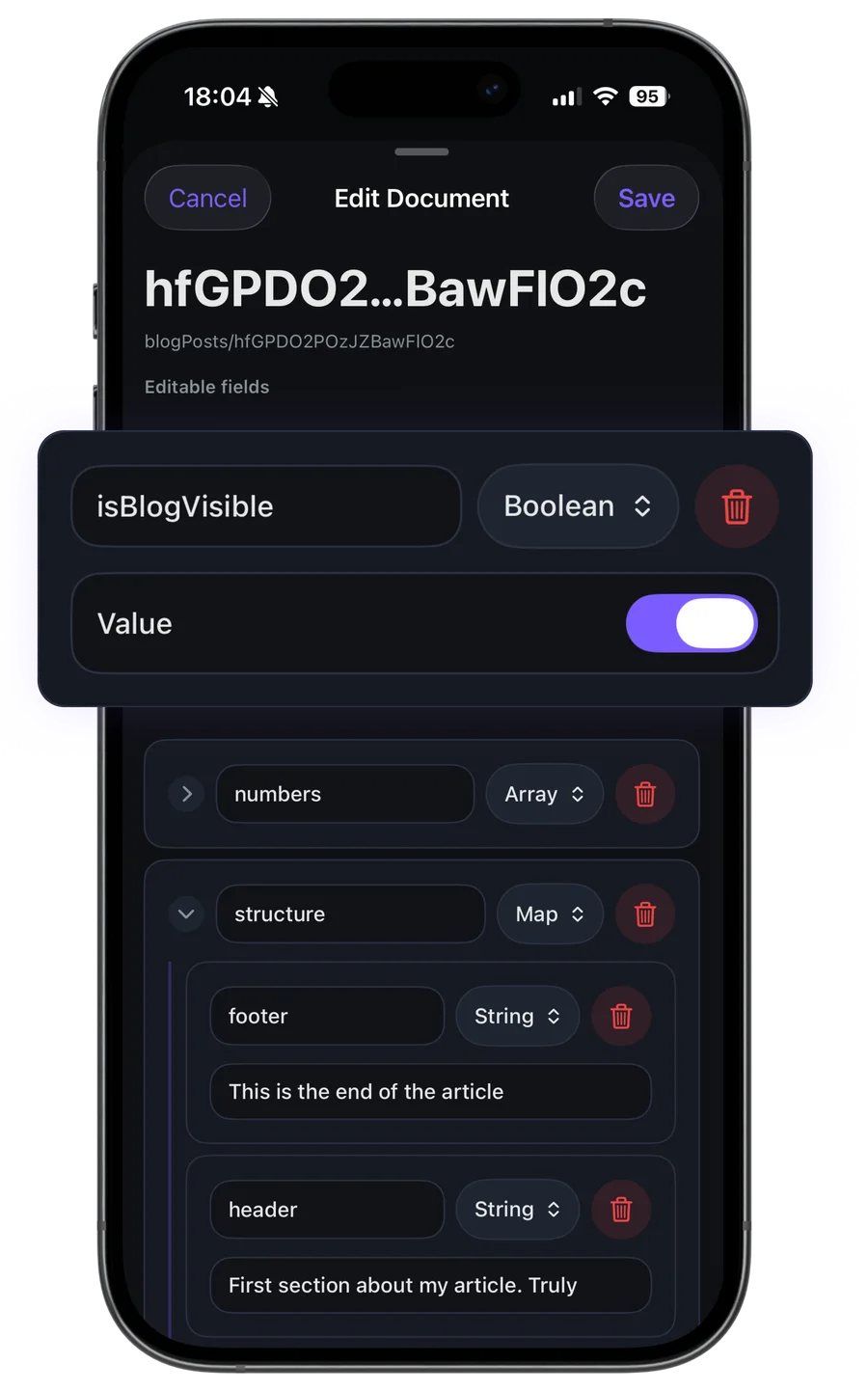
Open any document to see every field rendered with its correct Firestore type, including nested maps and arrays.
Edit documents
Change field values in place and save back to Firestore with the user’s own permissions.
Create records
Add new documents to a collection, setting typed fields directly from your device.
Delete data
Remove documents you no longer need, with a confirmation step before anything is destroyed.
Search & navigate
Search within a collection and step into subcollections to reach deeply nested data.
Export collections
Export a collection, a query or a selection as a Firedeck backup, JSON, NDJSON or CSV, and save it to Files.
Import files
Import a Firedeck backup, JSON, NDJSON or CSV. You see a preview, the detected types and any errors before anything is written.
Bulk edit
Set, rename or remove a field, increment a number or stamp a server timestamp across every document that matches a filter.
Bulk delete
Delete a selection or everything matching a query. Large deletes ask you to type the collection name first.
History & undo
Every change you make is saved on your device first. Undo it for 30 days; documents someone edited since are left alone.
Your data stays yours
Firedeck is fully client-side. There is no backend and no proxy — every request goes directly from your device to Google’s first-party Firebase APIs, authenticated with your own Google sign-in. Your tokens are stored only on your device, never on a server.
Frequently asked questions
Can I edit production Firestore data from my iPhone?
Yes. Firedeck lets you read, create, update, and delete Firestore documents using your own Google account’s permissions. Write actions are part of Firedeck Pro.
Does Firedeck support subcollections?
Yes. Firedeck lets you navigate into subcollections inside a document to reach deeply nested data.
How are Firestore field types handled?
Every Firestore type — string, integer, double, boolean, timestamp, geopoint, array, map, reference, bytes, and null — is decoded and rendered natively, not shown as raw JSON.
Can I export a Firestore collection to JSON or CSV?
Yes. Firedeck Pro exports a whole collection, the results of a query, or selected documents as JSON, NDJSON, CSV or a lossless Firedeck backup. Copying a single document as JSON is free.
Can I undo a change or a delete in Firestore?
Firestore itself has no undo. Firedeck saves each document on your device before it changes, so you can undo edits, deletes and imports made in Firedeck for 30 days. If someone changed a document since, Firedeck skips it unless you choose “Restore anyway”.
Can I update a field in many documents at once?
Yes. Select documents, or pick every document matching a filter, then set, rename or remove fields in one go. You get a before/after preview first, and the whole change can be undone.
Is editing production data safe?
Firedeck acts strictly as the signed-in Google user and talks directly to Firebase’s REST APIs. Destructive actions require an explicit confirmation, and you only have the access your own IAM role grants.