Remote Config
Edit Remote Config from anywhere
Update parameter values and publish changes to your live app — safely, from iPhone and iPad.
Firebase Remote Config lets you change how your app behaves without shipping a new build. When you need to flip a flag or adjust a value during a launch or incident, Firedeck lets you do it from your phone in seconds.
Publishes use ETag-based optimistic concurrency, so you can’t silently overwrite a teammate’s change — and each config shows who made the last change and when.
- Edit parameters
- Publish updates
- View conditions
- Safe concurrent edits
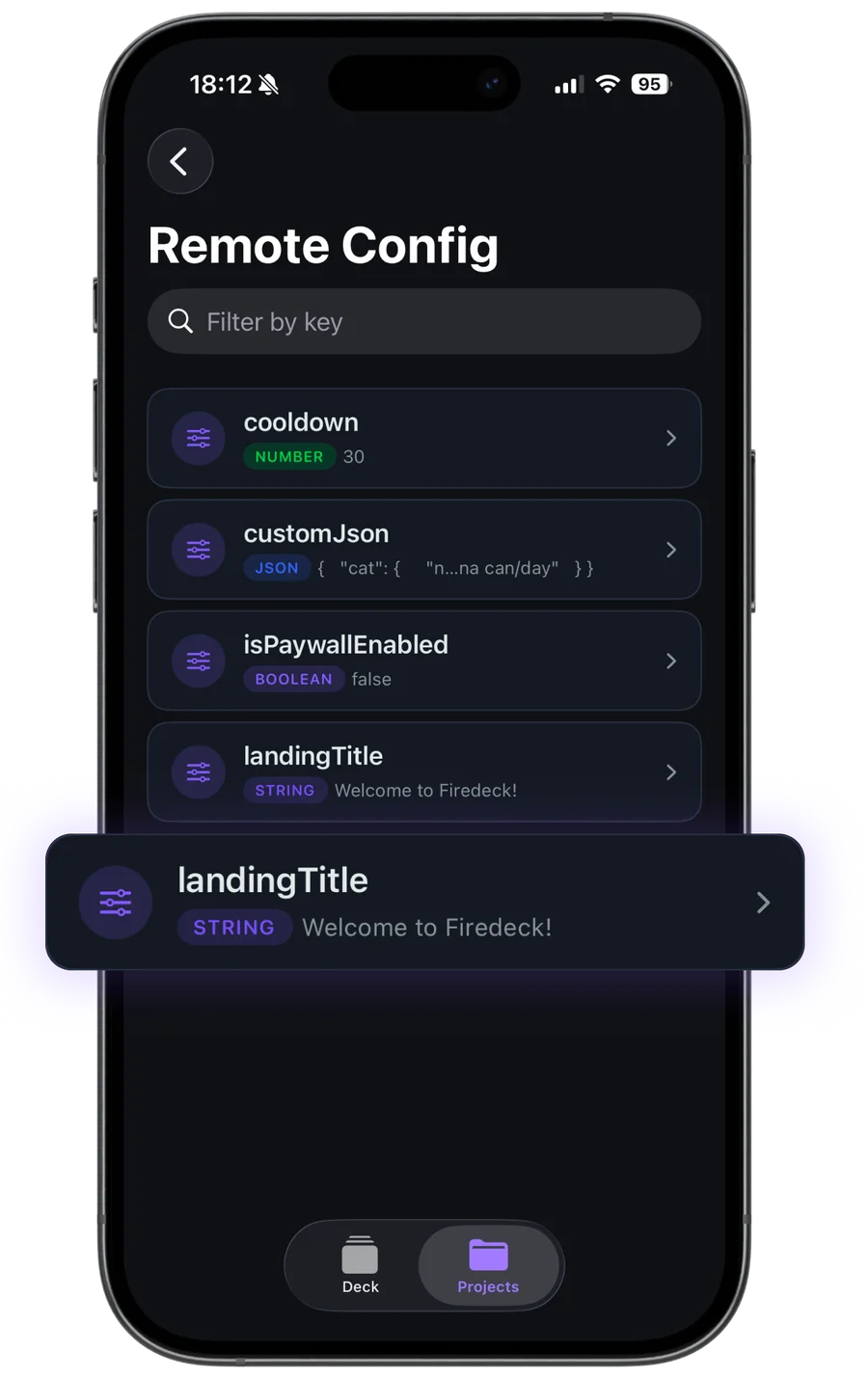
What you can do with Remote Config
Edit parameters
Change string, boolean, and number values for any Remote Config parameter.
Publish changes
Push an update to your live app, with optimistic concurrency so you don’t overwrite someone else’s change.
View conditions
See the conditions defined in your config and the conditional values behind a parameter.
Change metadata
See who made the last change, when, and from where.
Your data stays yours
Firedeck is fully client-side. There is no backend and no proxy — every request goes directly from your device to Google’s first-party Firebase APIs, authenticated with your own Google sign-in. Your tokens are stored only on your device, never on a server.
Frequently asked questions
Can I publish a Remote Config change from my phone?
Yes. Firedeck edits parameter values and publishes the update to your live app. Publishing is part of Firedeck Pro.
Will I overwrite a teammate’s change?
No. Remote Config uses ETag-based optimistic concurrency, so Firedeck won’t silently clobber a change made after you loaded the config.
Can I see conditional values?
Yes. Firedeck shows the conditions defined in your config and the per-condition values of a parameter.